Fleetyard Sign in

Available now

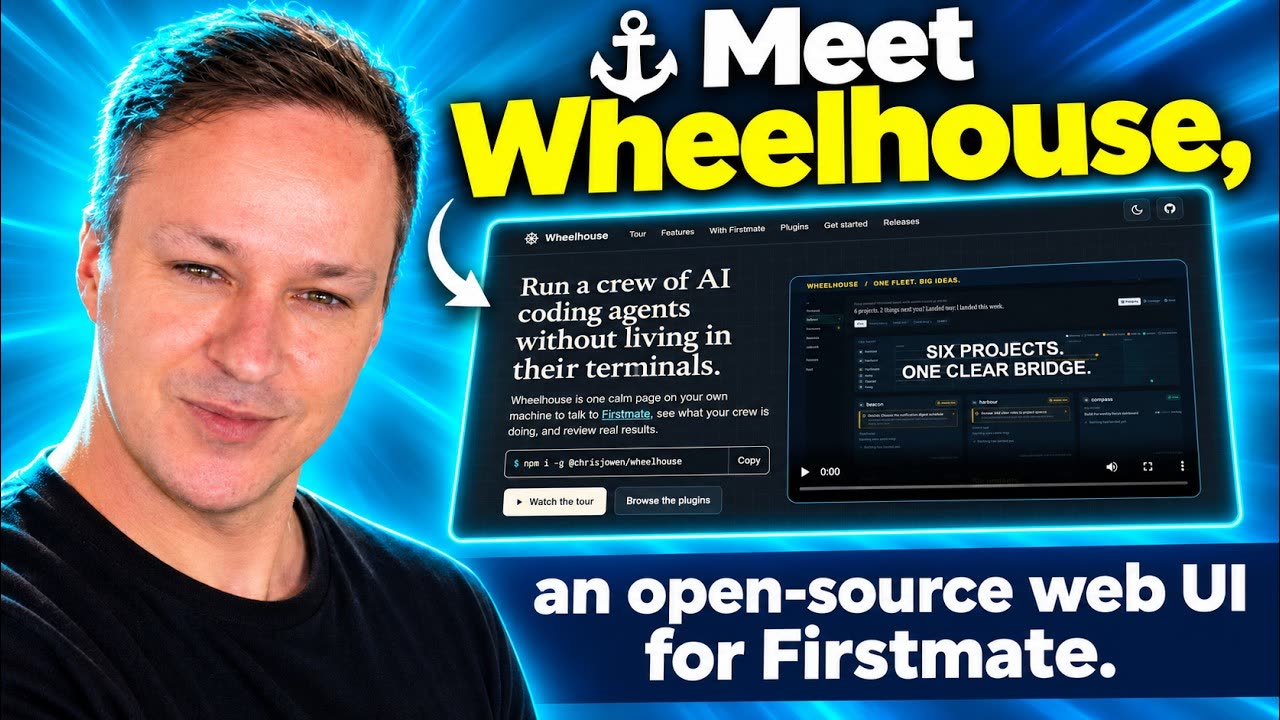
Wheelhouse is your bridge to the crew.

One calm page on your own machine to talk to Firstmate, see what your crew is doing, and review real results. It reads what Firstmate and its crew already record, and says so when something is unknown rather than guessing.

npm install -g @chrisjowen/wheelhouse

Built on top of Firstmate, created by Kun Chen.

Play “Firstmate Web UI - Introducing Wheelhouse”
“Firstmate Web UI - Introducing Wheelhouse”, from Chris Owen on YouTube.

The tour, 1:46

From “give Docket nightly summaries” to landed, while six projects keep moving.

Transcript and credits

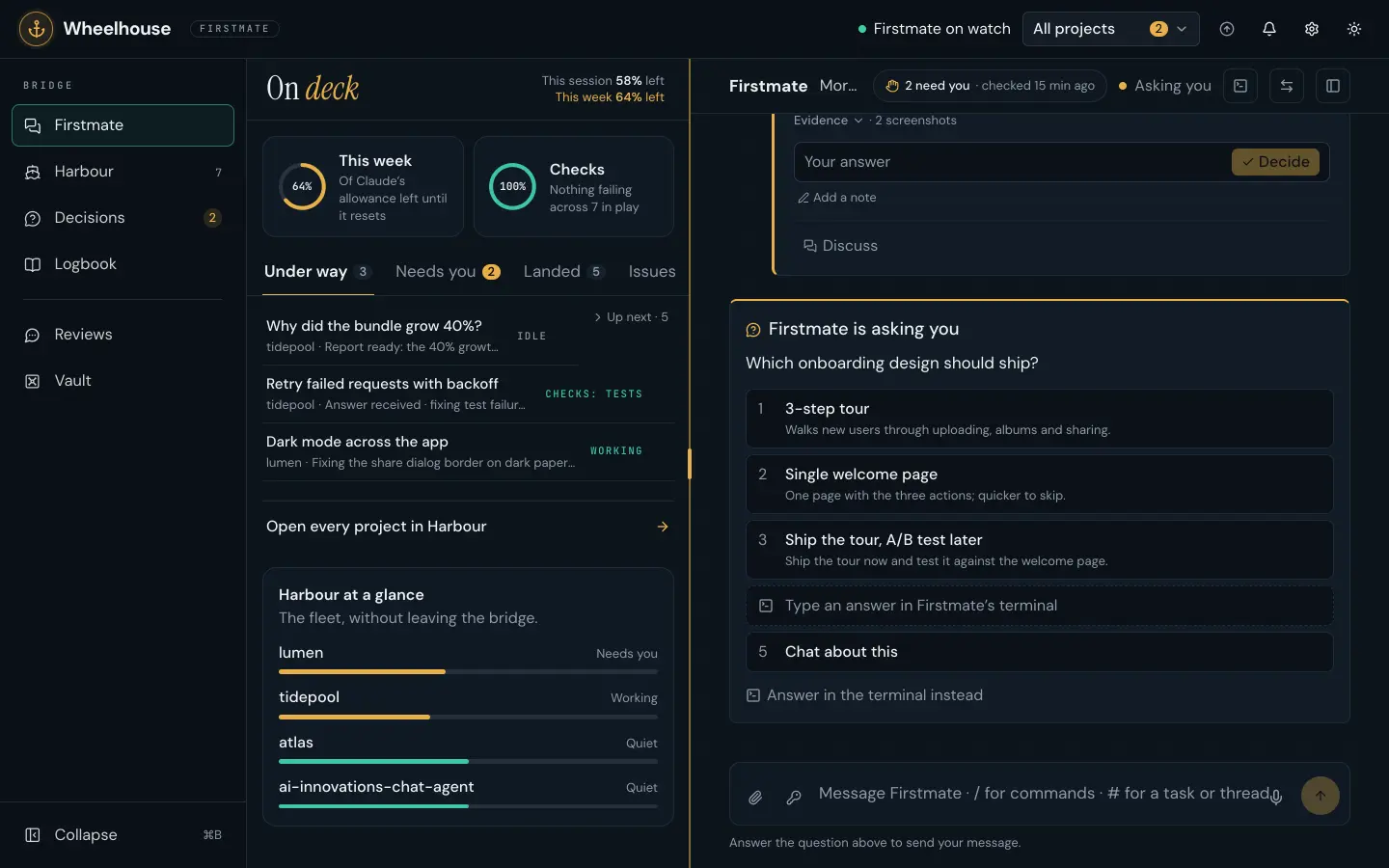
Answer a decision in the chat. Under a live preview card, write the answer to which onboarding design ships, add a note, Decide, and the card folds to your answer.
Review a pull request in a chat. Review PR on a task page opens it in the PR review plugin: the overview, then each change with its verdict and key lines, and the quality pass’s suggestion.

Everything on the bridge

  • Listens on 127.0.0.1 and refuses requests from anywhere else.
  • It reads; it never steers. The one thing it writes is your message, through Firstmate’s inbox.
  • Secrets reach the crew by name; values stay in the macOS Keychain.
  • Plugins fill fixed places through a read-only context, so one failing plugin never takes a page down.
Wheelhouse in dark mode: the bridge down the left; On deck beside it, with this week’s allowance and the checks as gauges above the work under way, one line per task; and the conversation with Firstmate on the right, a decision waiting as a form

Talk to the crew

Chat with Firstmate
Chat, answer with buttons, mention tasks with #, run commands with /, or just dictate. Messages are tagged by project, so you can read one thread at a time.
Preview cards
When a reply is about a task with a running app, its live preview shows as a card underneath, with the pull request and Review beside it.
Decisions
Only what Firstmate escalated to you, with its recommendation, answered in place: one tap, a pick, or a written answer.
The ship’s bell
Rings for green pull requests, questions, stuck workers and landed merges, each with a one-click answer.
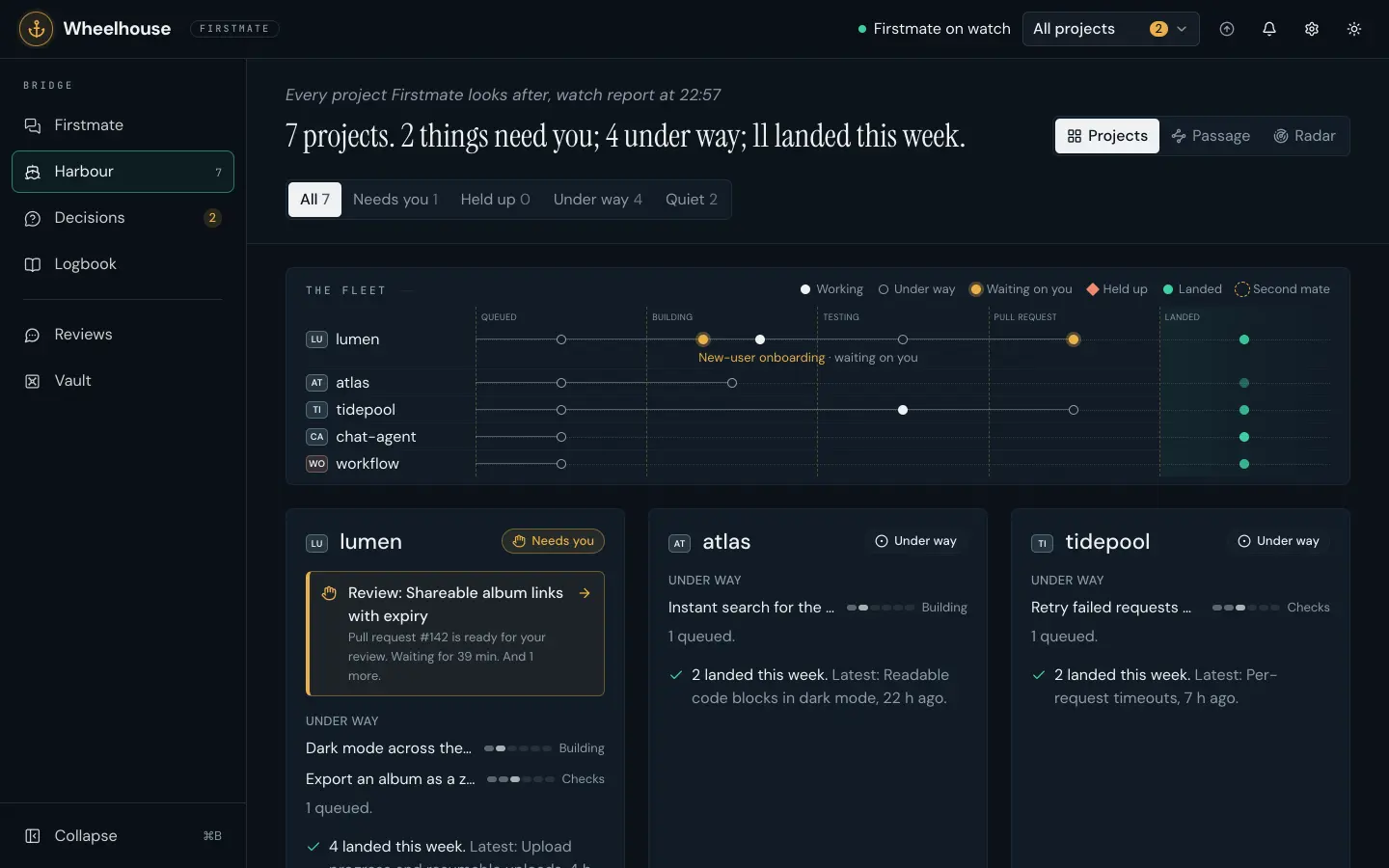
Harbour in dark mode: seven projects, two things need you; the fleet chart, a line per project from Queued to Landed with each task as a dot; then a card per project with what waits on you and what is under way

See the work

Harbour
Every project at a glance under a calm chart of what is moving across the fleet: what waits on you, the work under way and what landed this week.
Project and task pages
A task starts with what the worker was asked, your intent and Firstmate’s spec, then one timeline of everything since.
Radar
Watch the whole fleet flow from Queued through Building, Testing and Pull request to Landed, live.
Changes and live preview
Every file a task changed, each diff a click away, and the real app under review running inside Wheelhouse.
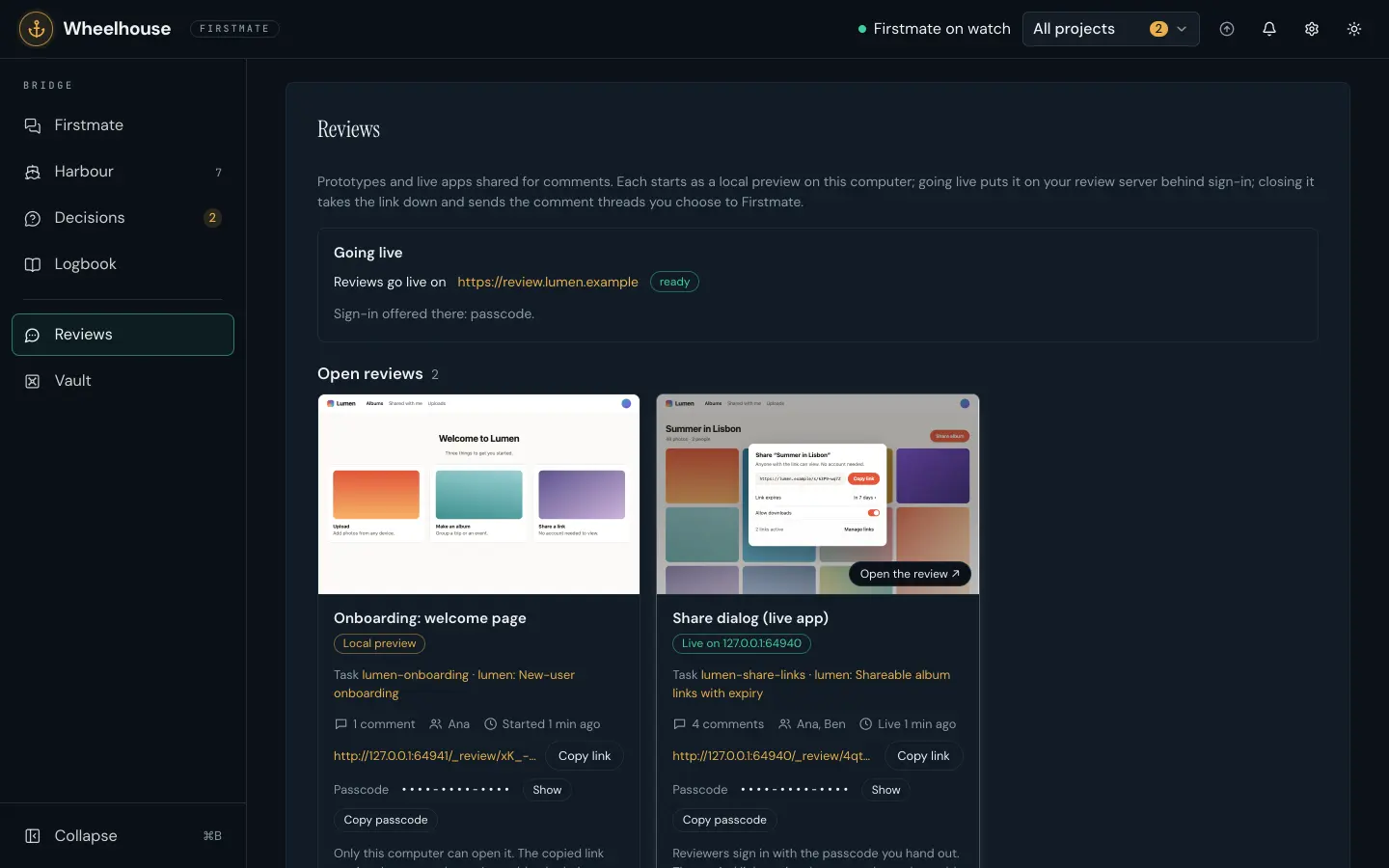
The Reviews page in dark mode: two open reviews of the demo Lumen app as cards with live thumbnails, one a local preview and one live on the review server, each with its task, comments, reviewers, link and passcode

Review and ship

PR review
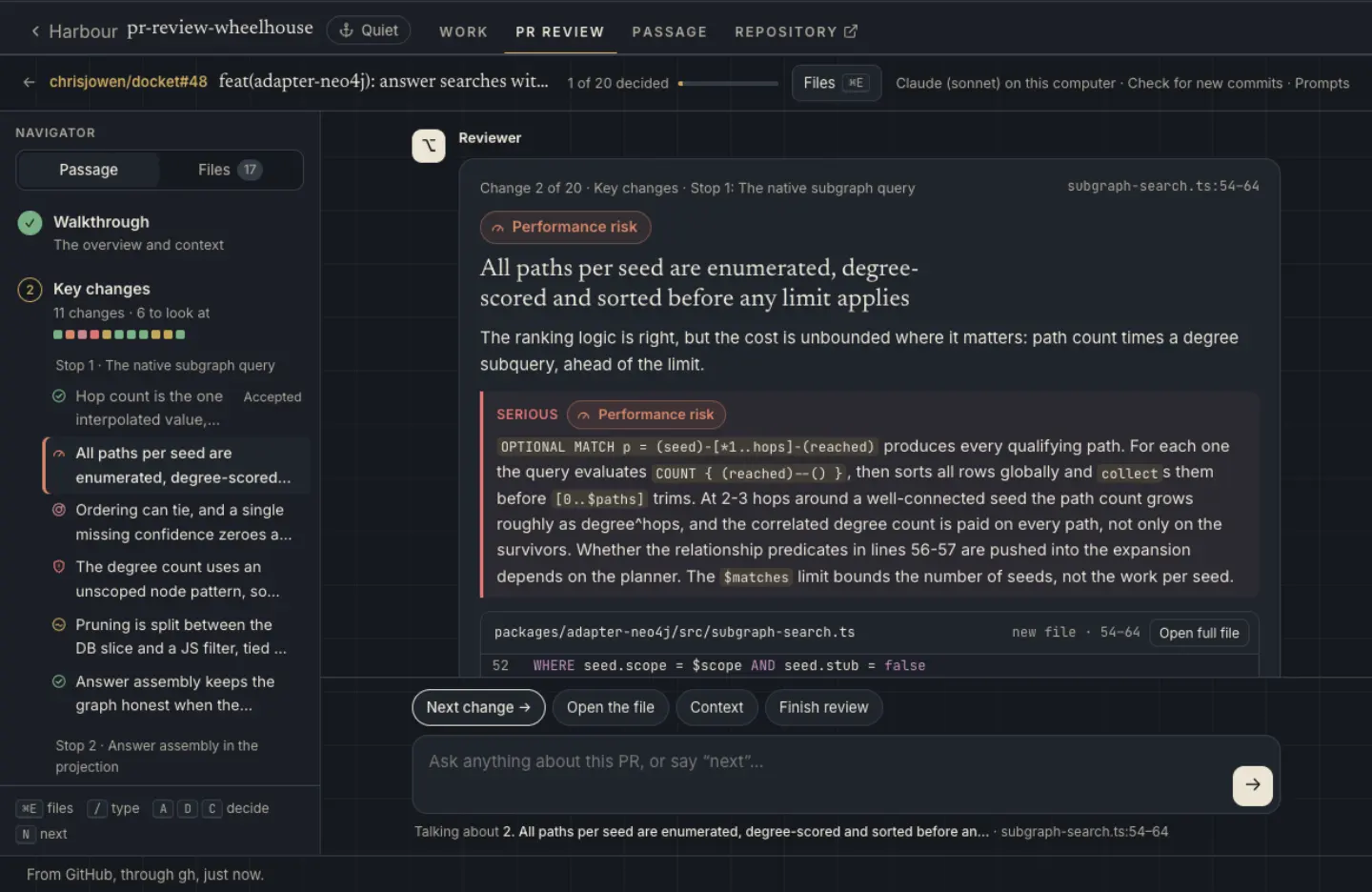
Review on any pull request opens a review in a chat: an overview, then each change in reading order with its verdict, key lines and a suggestion.
Shared review
Share a prototype or a live app behind a link with its passcode. People pin comments to the spot they mean; you choose which reach Firstmate.
Passage editor
Add your own steps to a task’s passage, like a local deploy after merge, and test them on a landed task first.
Vault
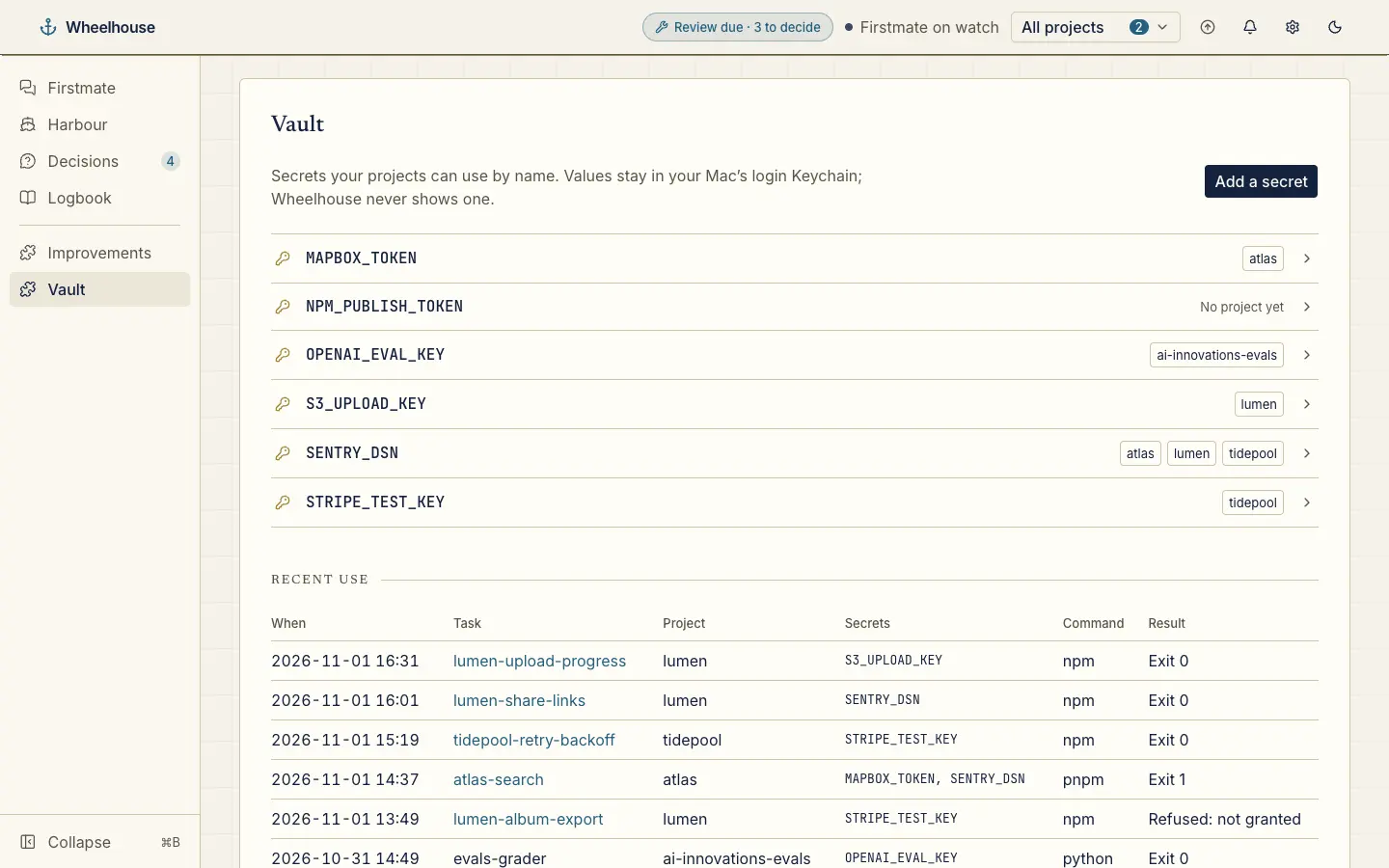
Give the crew secrets by name. Values stay in the macOS Keychain; the Vault page shows names, grants and use, never a value.
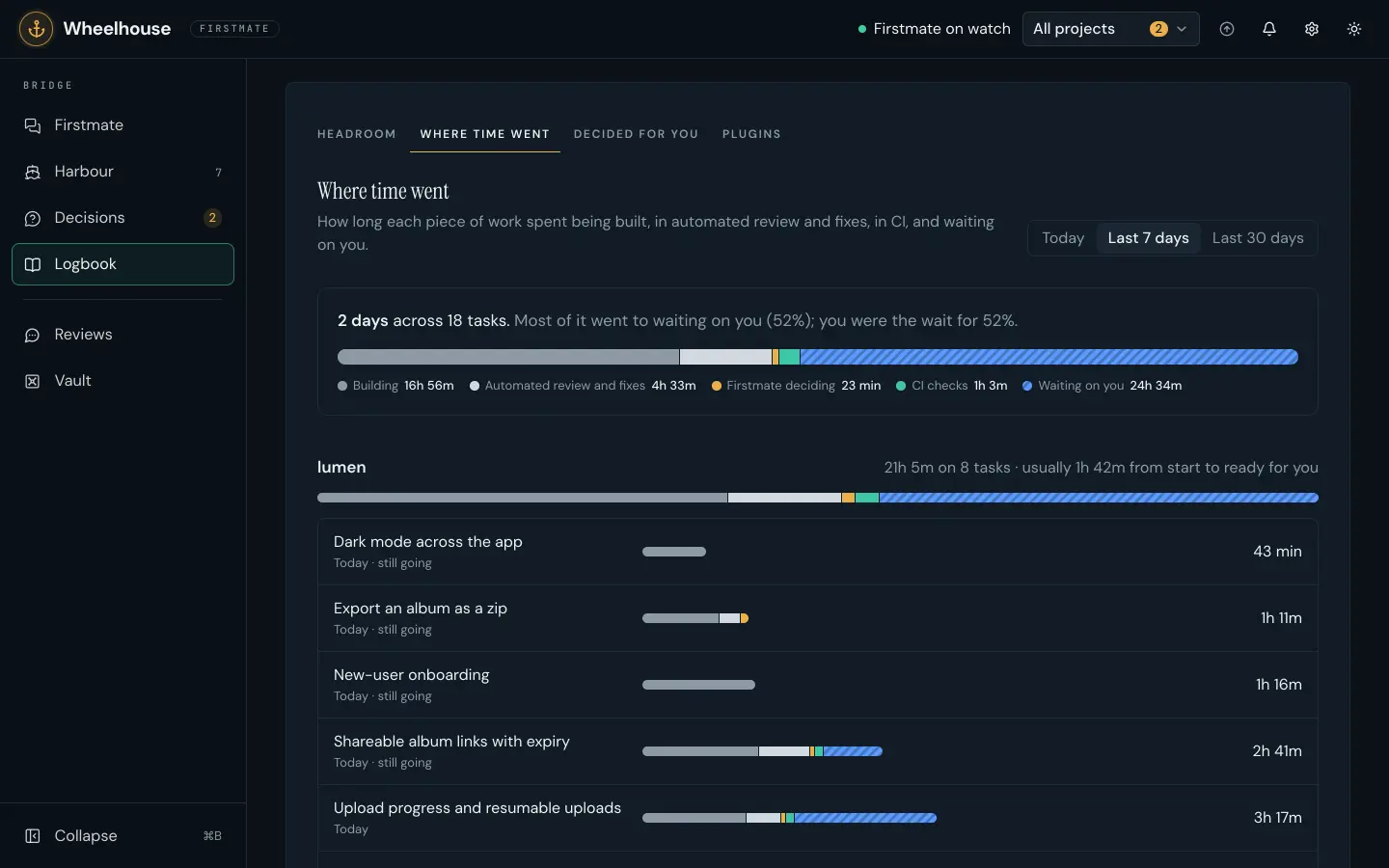
Where time went: two days across eighteen tasks, split into building, automated review and fixes, Firstmate deciding, CI checks and waiting on you, then each project’s tasks

Keep watch

Decided for you
Every call Firstmate made on your behalf, grouped by day, with each call and its reason.
Where time went
Each task’s time split into building, review, CI and waiting on you, so the bottleneck shows.
Headroom
Claude allowance left this session and this week, and each task’s share of recent use.
Day or night
Warm paper by day, near-black navy after dark, gold for what needs you.

Plugins

Install a plugin from its GitHub repository with one command, or from Settings → Plugins. Each one is off until you turn it on, for every project or only the ones you choose.

The chat review of a real pull request in the PR review tab: the navigator on the left with each change marked by its verdict, and a change filed as Serious in the chat, with its code

PR review

Install from GitHub

A reviewer reads the whole pull request, then walks you through it in a chat, one change at a time, with a verdict, the key lines and a suggestion for each. Nothing is posted until you click.

wheelhouse plugin install chrisjowen/pr-review-wheelhouse
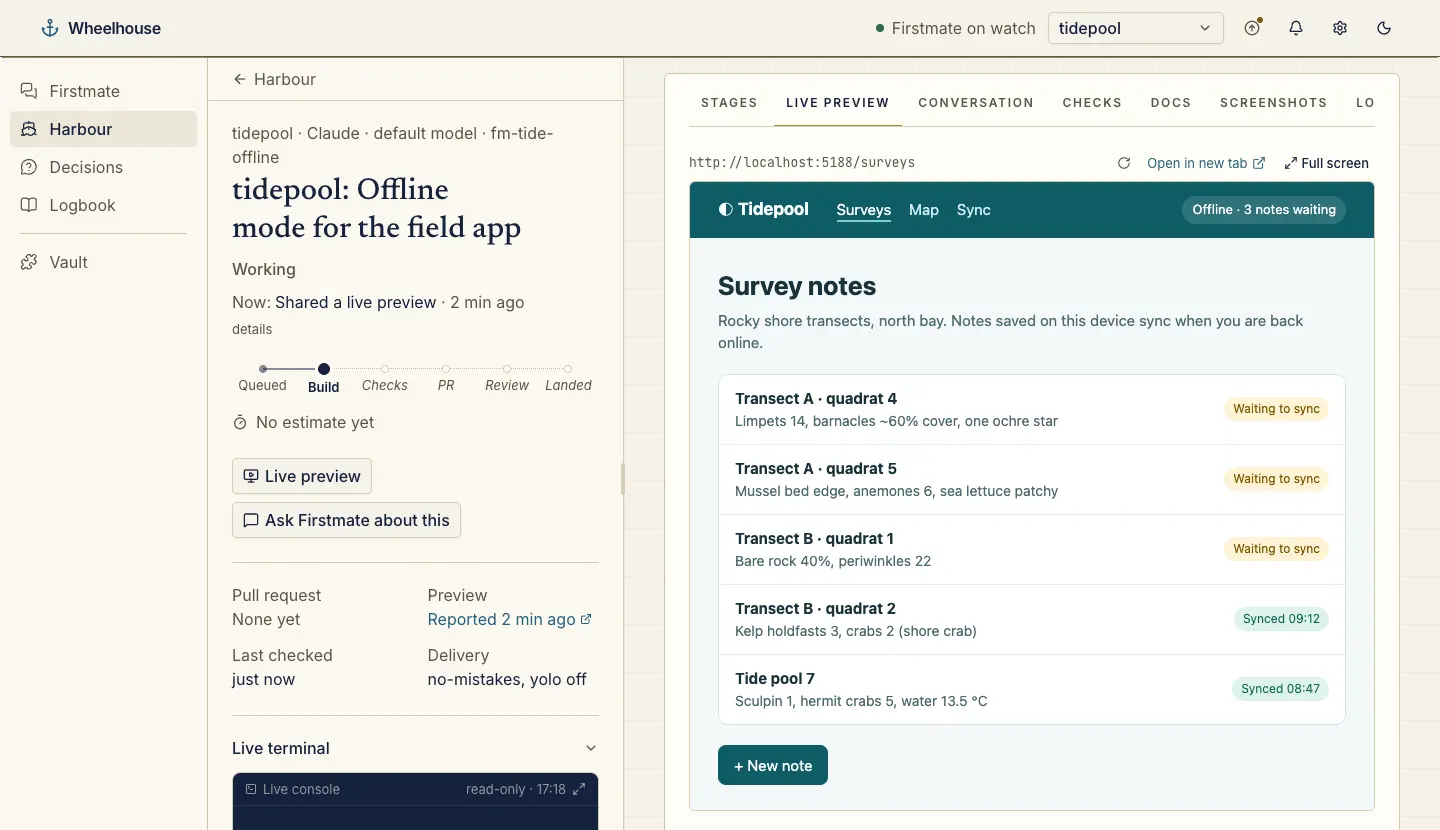
A task’s Live preview tab showing a demo app loaded through the proxy on Wheelhouse’s own port

Localhost proxy

Install from GitHub

Opens the crew’s localhost previews through Wheelhouse’s own port, so they work when Wheelhouse runs in Docker, a cloud workspace or another computer.

wheelhouse plugin install chrisjowen/localhost-proxy-wheelhouse
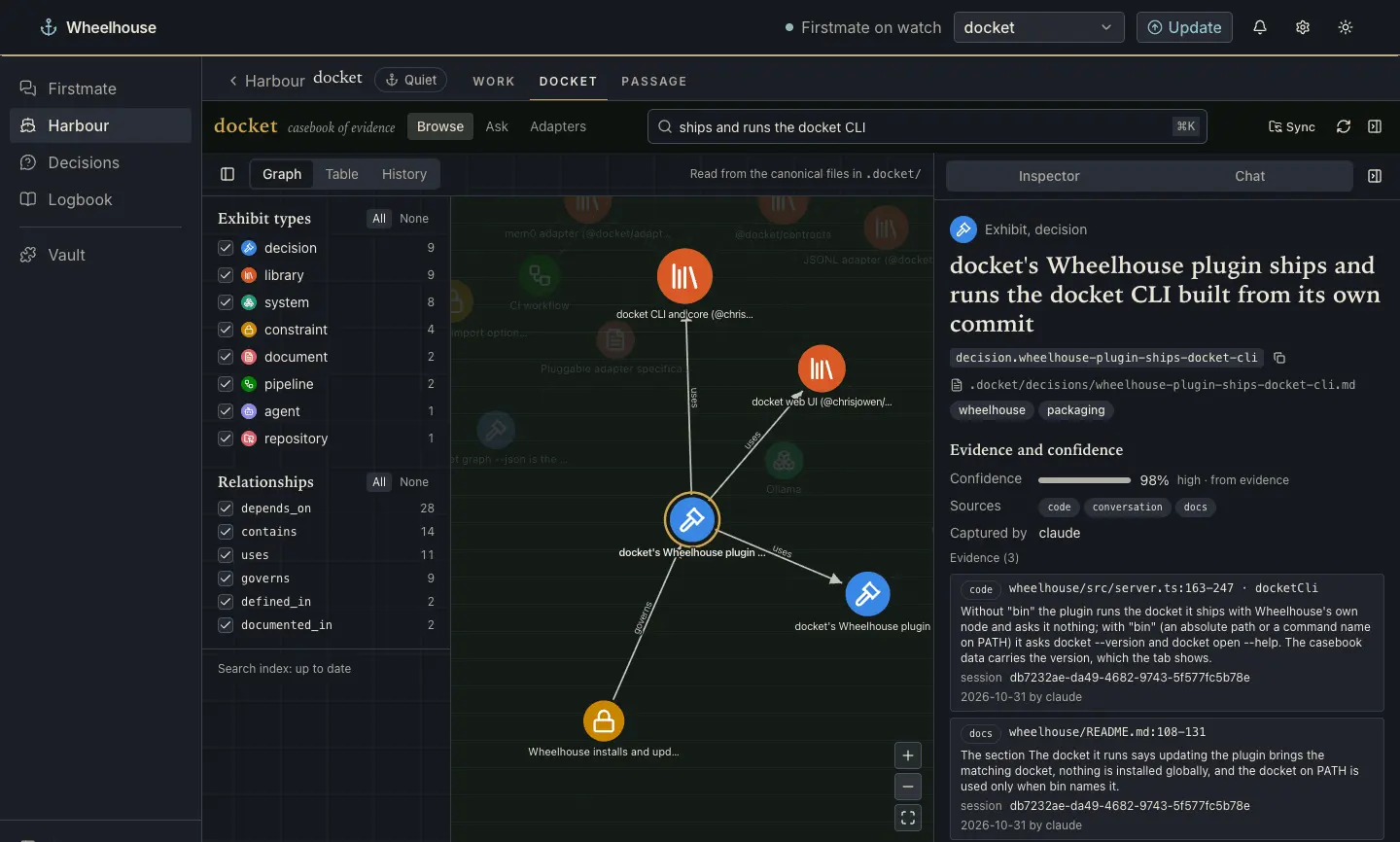
Wheelhouse’s Docket project tab: the casebook’s Browse graph, with a decision selected and its evidence in the inspector

Docket

Install from GitHub

A project’s team-memory casebook inside Wheelhouse: browse the graph, table and history, ask questions, search and sync.

wheelhouse plugin install chrisjowen/docket
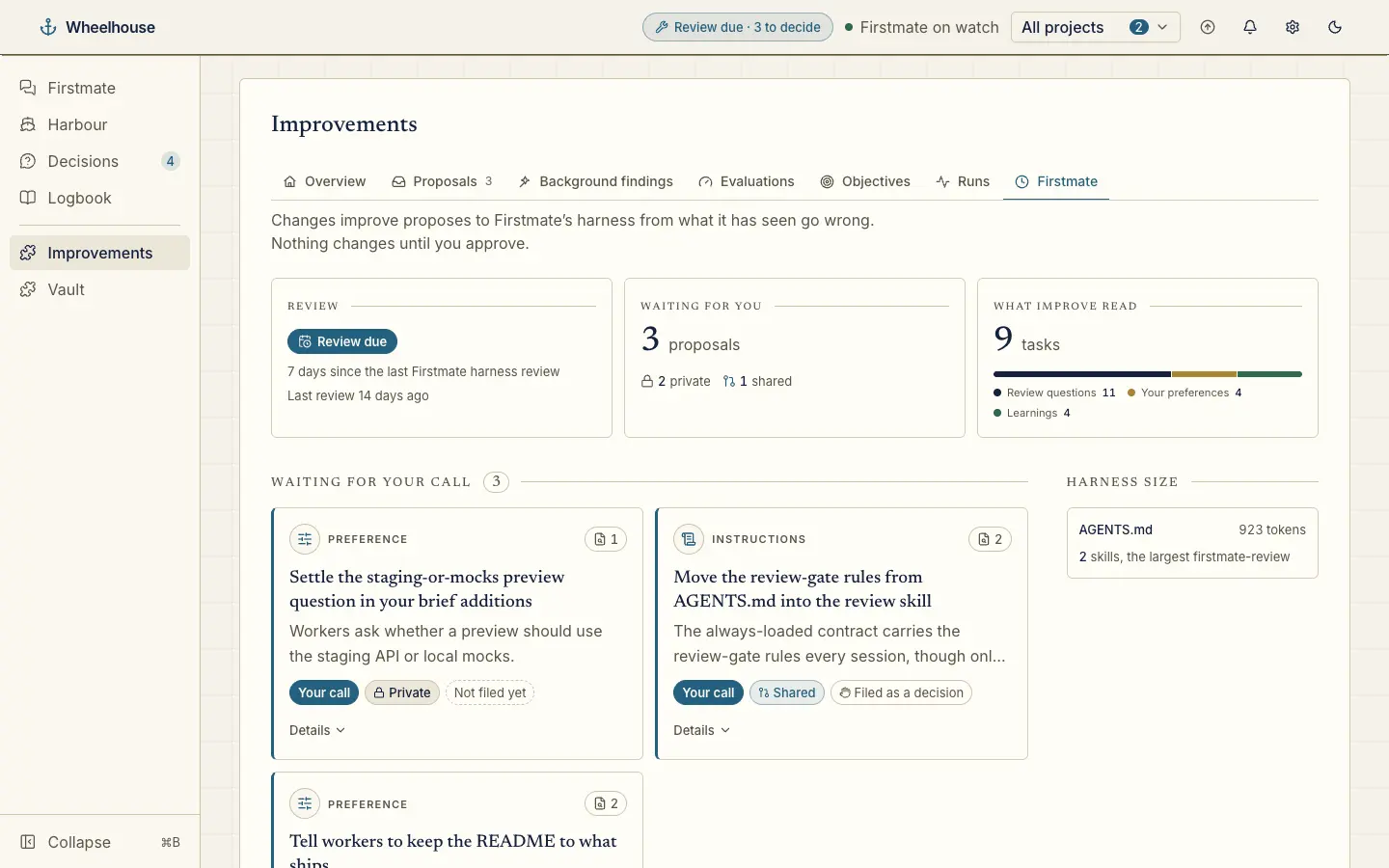
Improvements: a harness review is due, proposals waiting for your call and the size of the harness

Improve

Install from GitHub

Governed, evidence-driven improvement of your Claude Code harness. Each suggestion arrives as a decision for you, like any other.

wheelhouse plugin install chrisjowen/improve
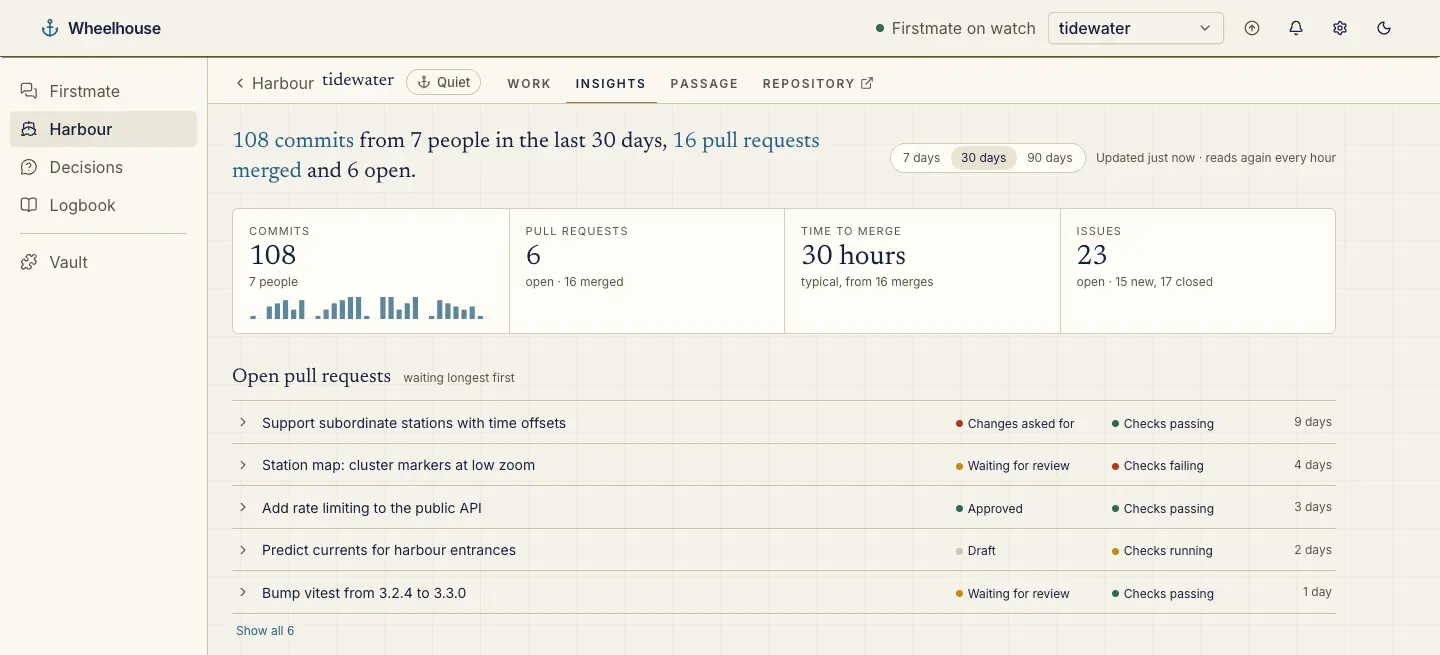
The Insights tab: a summary, figures for commits, pull requests, time to merge and issues, and the open pull requests

Git insights

Install from GitHub

Who is working on a project, its latest commits, the files that change most and open pull requests, from git and GitHub.

wheelhouse plugin install chrisjowen/git-insights-wheelhouse
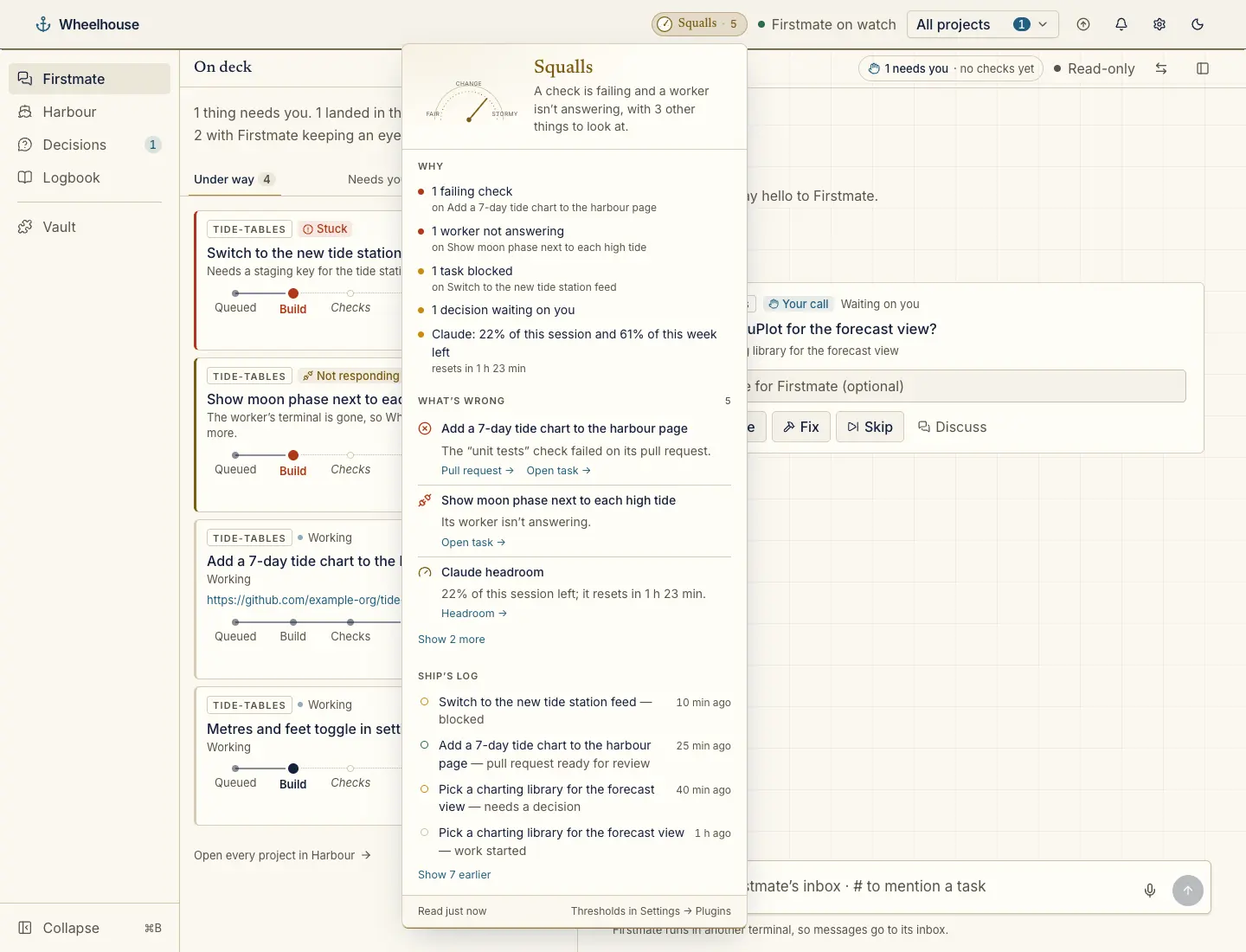
The Ship’s weather drill-in under the header pill: a barometer and forecast, the reasons and what’s wrong

Ship’s weather

Install from GitHub

The fleet’s health as weather, from Clear to Storm. Click it for a barometer, the forecast, what’s wrong and the ship’s log.

wheelhouse plugin install chrisjowen/ship-weather-wheelhouse
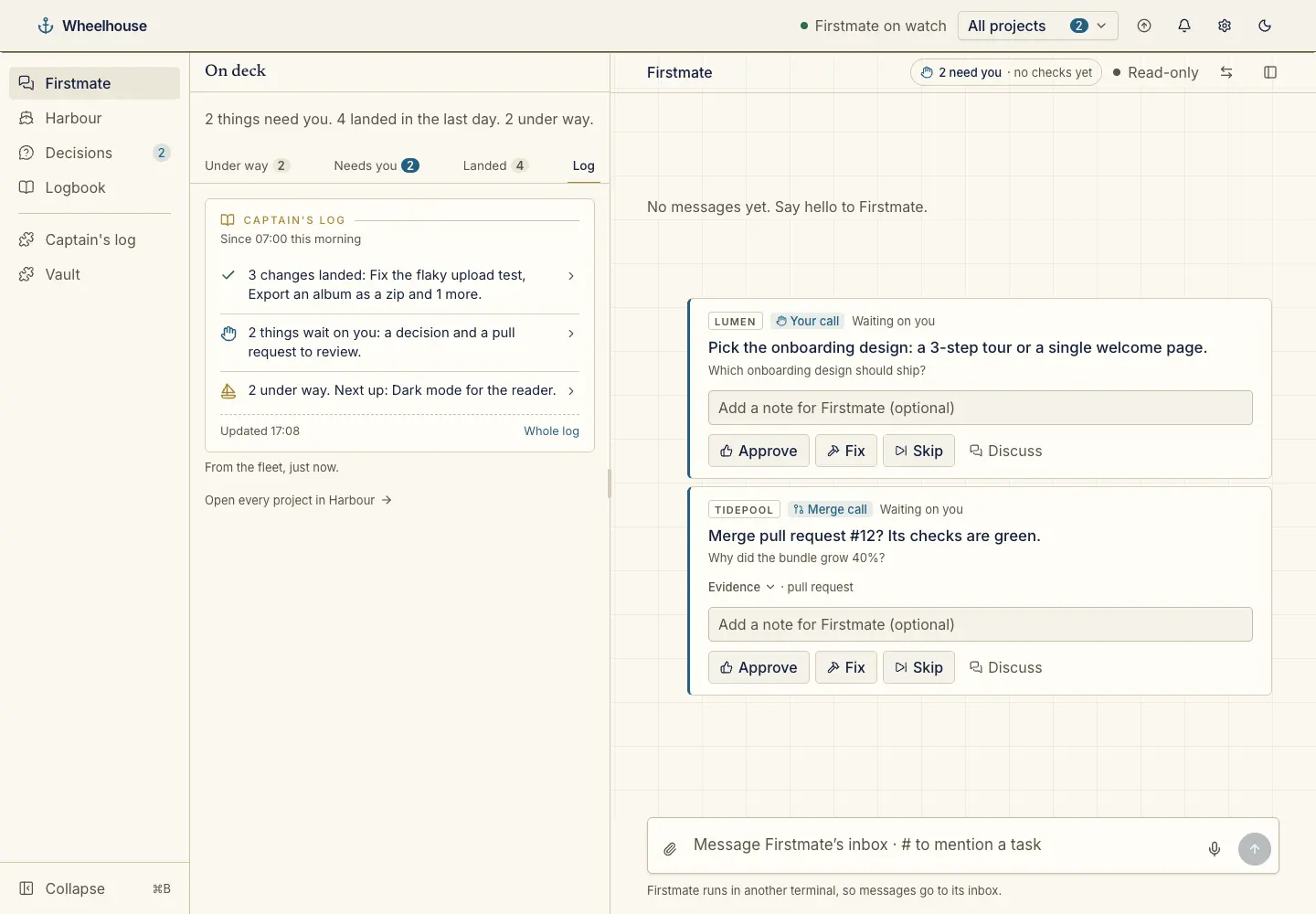
The Log tab on the home rail: three lines saying what landed, what waits on you and what is under way

Captain’s log

Install from GitHub

A short digest in three plain lines: what landed since you were last here, what waits on you, and what is under way.

wheelhouse plugin install chrisjowen/captains-log-wheelhouse
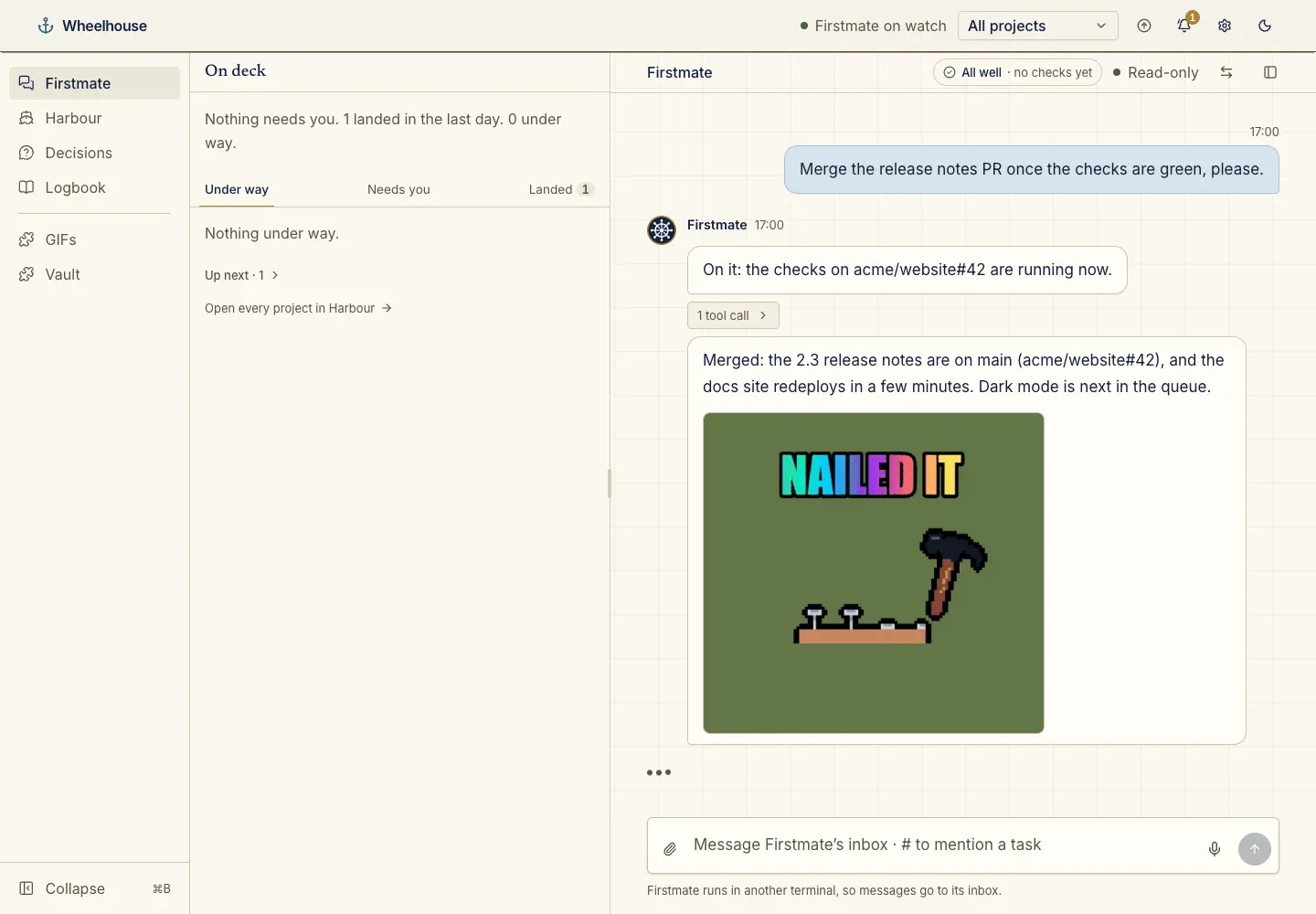
Firstmate’s chat: a message reporting a merged pull request ends with a GIF from Giffy

Giffy

Install from GitHub

A pre-checked catalogue of GIFs. Firstmate puts one in good news like a merge or a release, and never in bad news.

wheelhouse plugin install chrisjowen/giffy-wheelhouse
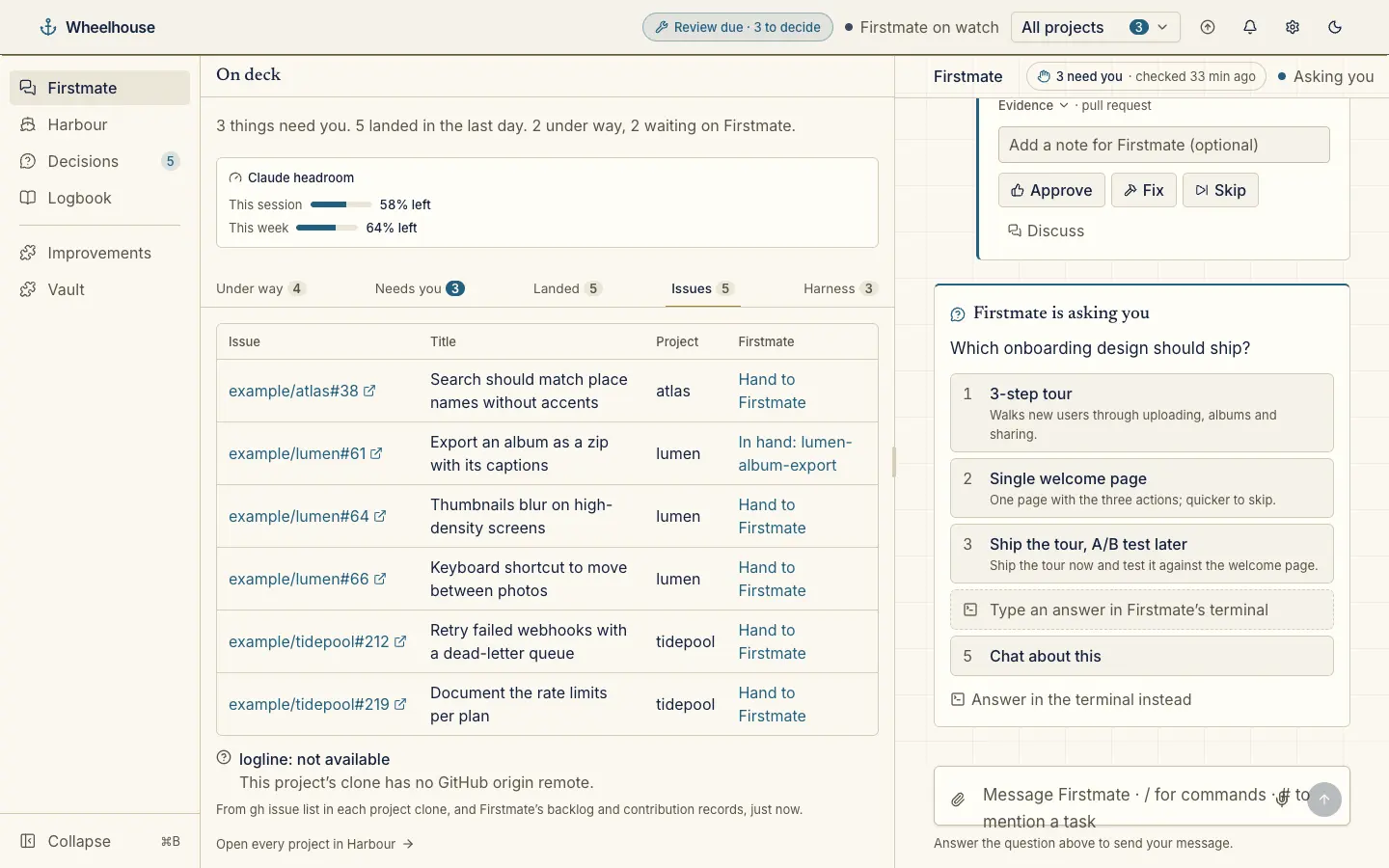
The Issues tab on the home rail: watched issues across projects, each with Hand to Firstmate or the task that has it

GitHub issues

Ships with Wheelhouse, off until you turn it on

Lists each project’s open issues that match your watch rule and hands any of them to Firstmate.

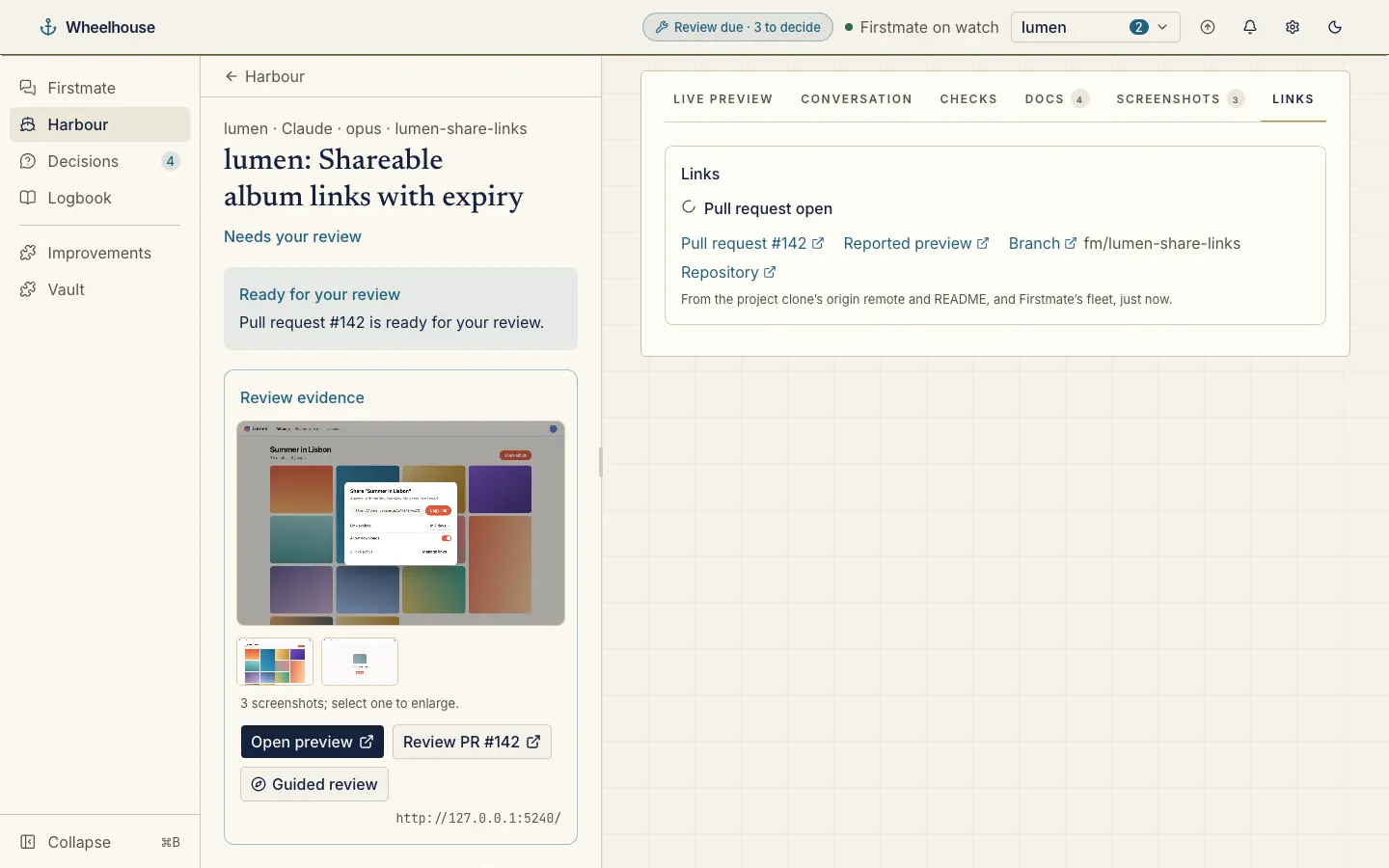
A task’s Links tab: the pull request’s state, with links to it, the preview, the branch and the repository

Project links

Ships with Wheelhouse, off until you turn it on

Links to a project’s repository, README and pull requests, and each task’s pull request, preview and branch.

The Vault page: each secret by name with the projects that may use it, and the recent use of the vault

Vault

Ships with Wheelhouse, on from the start

What wh-vault holds, by name only: every secret, the projects it is granted to, when it was set and last used.

Write your own

A plugin’s provider reads on the server through a read-only context, and its output fills one of eight fixed places.

  • project.tab a tab on each project
  • harbour.card a card on a project’s work
  • task.section a section on a task page
  • step.evidence evidence under a passage step
  • bridge.card a card under a chat reply
  • home.card a tab on the home rail
  • header.indicator a pill in the header
  • nav.page a page in the menu

Get started on your own machine

  1. Clone Firstmate: Wheelhouse is a window onto a Firstmate home.

    git clone https://github.com/kunchenguid/firstmate.git
  2. Install Wheelhouse from npm. The same command updates it.

    npm install -g @chrisjowen/wheelhouse
  3. Open it from your Firstmate folder, in your browser at the address it prints.

    cd firstmate && wheelhouse open

You need Node.js 22 or newer, tmux and Claude Code on your PATH. The guide covers every page. Want it in the cloud instead? Fleetyard is coming soon.